SC-401
Introduction
As of April 9th, I have officially passed the SC-401 exam and received my Microsoft Certified: Information Security Administrator Associate credential! The exam itself is semi-open book in that you are able to navigate the Microsoft Learn environment. You are not able to use AI, search engines, or outside notes. My main goal is to pass the MS-102 exam in order to earn my Microsoft 365 Certified: Administrator Expert credential. As passing the SC-401 is a prerequisite to taking the MS-102, I chose this learning path as I believe that building things securely is the same as building things correctly. Minimizing unnecessary privileges when helping build a growing identity platform is fundamental in mitigating cyber attacks.
In order to prepare for the SC-401, I broke my studying into three separate parts:
-
Home Lab Practice
-
Flashcards using Anki
-
Taking the free Practice Test using Microsoft Learn as my only outside resource
3a. Here is the link for the SC 401 study guide and practice test
In the following sections I will break down each of these studying techniques, explain how they helped me succeed in passing this exam, and how I will use this same setup to prepare for the MS-102.
Windows Hybrid Environment Home Lab Setup
I truly believe that the best way to ingrain any skillset is to use it. Purely studying from flashcards or reading wikipedia posts is both boring and tends to leave me with a half understanding of how things actually connect together. As I want to eventually use these skills in a production environment, creating and configuring a home lab seemed like the best path for true understanding. In addition, now that this lab is setup, I will be able to use it to study for my MS-102 Exam without having to configure an entirely separate environment.
I plan on creating a full project post that outlines specific steps and details in the creation of this lab, so the rundown I am providing is a bit of an overview of the lab and might skip a couple of steps.
Creating the on-prem environment with Hyper-V
Microsoft provides a wonderful pre-set Hyper-V environment that anyone can setup. Included in this package is a .pdf that outlines the steps for configuring the OnPrem environment, and the system requirements for running it in the first place:
https://www.microsoft.com/en-us/evalcenter/evaluate-windows-11-microsoft-365-lab-kit
As I wanted to simulate a hybrid environment, I decided to setup a virtualized “OnPrem” workspace. This includes a dedicated Configuration Manager, Domain Controller, Gateway, and six separate client machines.
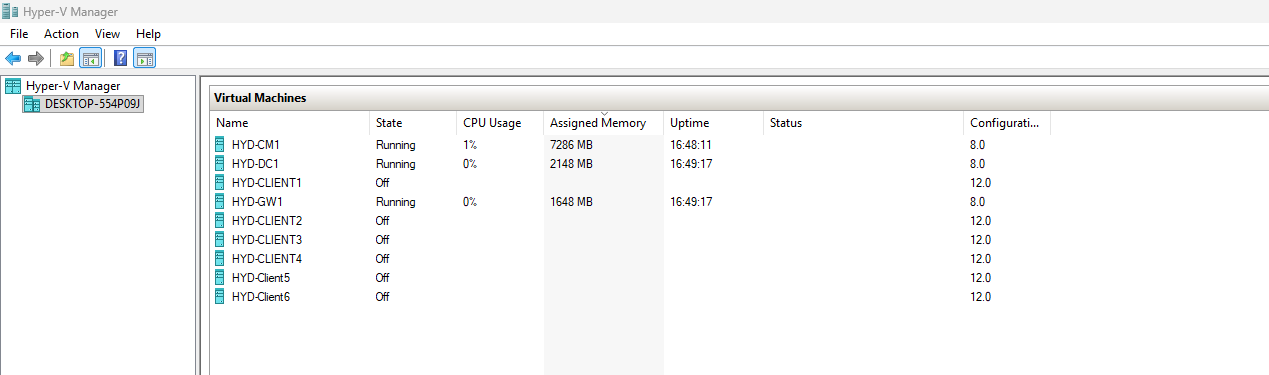
After the initial setup, I logged into each VM, updated each one, and made sure that they were all able to ping each other. After that initial setup was done, I put them to sleep and disconnected my session.
Creating the M365 environment
The hardest part about creating the M365 environment was the billing. While Microsoft does provide a singular free E5 license for any user, this does not cover Intune/Purview/Defender, all three of which I needed to utilize in order to prepare for the SC-401. The following licenses were necessary in order to properly study for this exam:
Microsoft Intune Plan 1 Office 365 E3
Luckily, Microsoft offers trial periods of up to two* months for these licenses. Before the end of the first month, you must go into each separate product within the M365 Admin portal and extend your trial, or else you will be left with around a $70 bill for two licenses that only apply to a single account. After the trial period ends, you can sign up for another one, but you must setup a new M365 environment in order to do so as the trial runs are per-domain.
The trial includes 25 assignable licenses, which allows you to create a mock network of users that can interact with each other. Below is a table of the users I created within the environment, and their respective roles.
| UserName | Department | Position |
|---|---|---|
| ChaseSharp | Executive | Corpo-Cordycep Extreme |
| LabAdmin | IT | IT Administrator |
| TestUser1 | IT | Security Associate |
| TestUser2 | Sales | Sales Associate |
| TestUser3 | HR | HR Specialist |
| TestUser4 | Sales | Sales Director |
| TestUser5 | IT | IT Helpdesk |
| TestUser6 | Marketing | Marketing Director |
| TestUser7 | Marketing | Marketing Associate |
| TestUser8 | HR | HR Director |
| TestUser9 | Engineering | Engineering Executive |
| TestUser10 | Engineering | Senior Engineer |
| TestUser11 | Engineering | Junior Engineer |
| TestUser12 | Engineering | Junior Engineer |
| TestUser13 | IT | Endpoint Administrator |
| TestUser14 | IT | Senior Developer |
| TestUser15 | IT | IT Business Solutions Analyst |
Now that the M365 environment has been made, and the users have been provisioned with both the E3 and Intune plans, we can move onto making this environment talk to the OnPrem servers using Entra Connect.
Linking the two together through Entra Connect
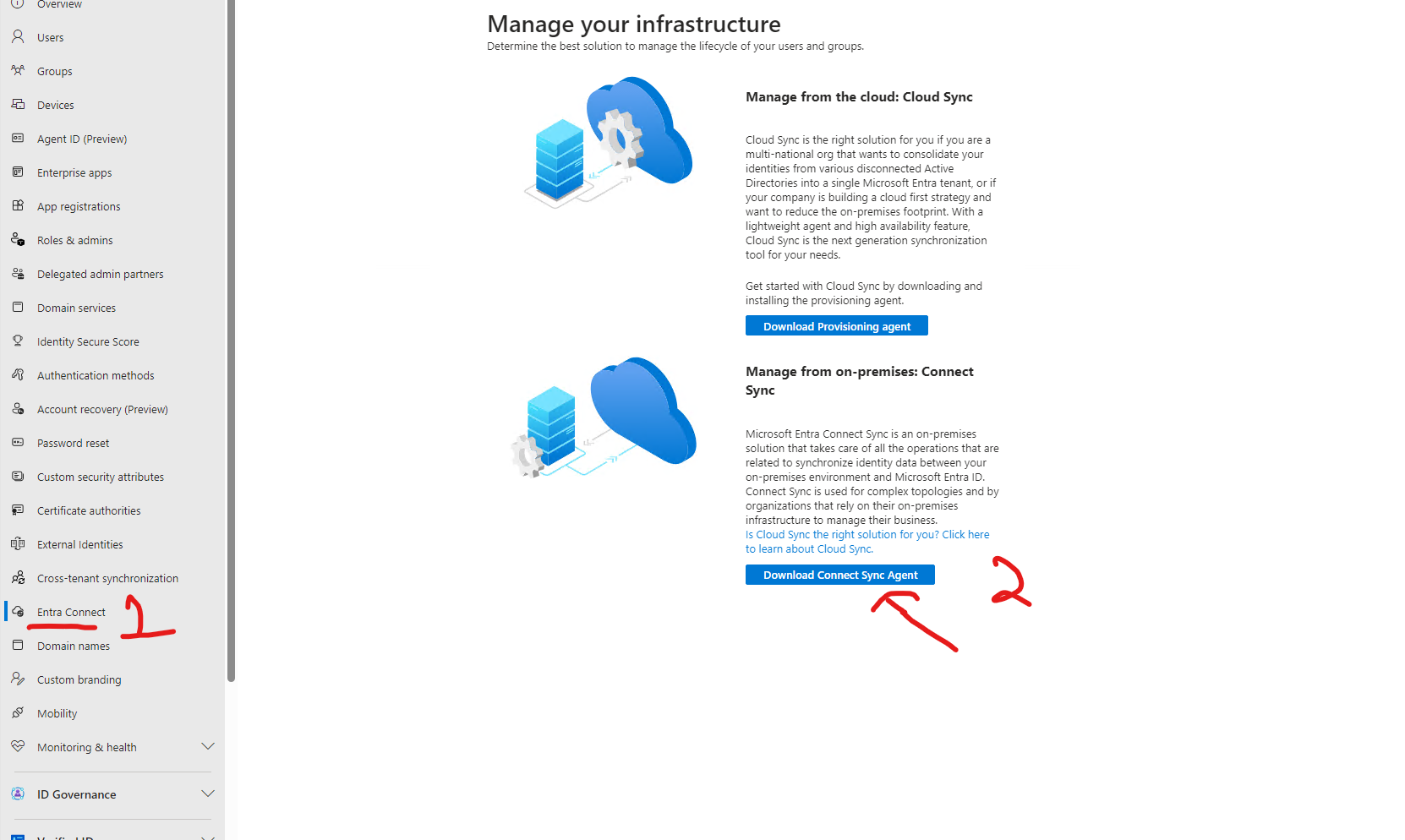
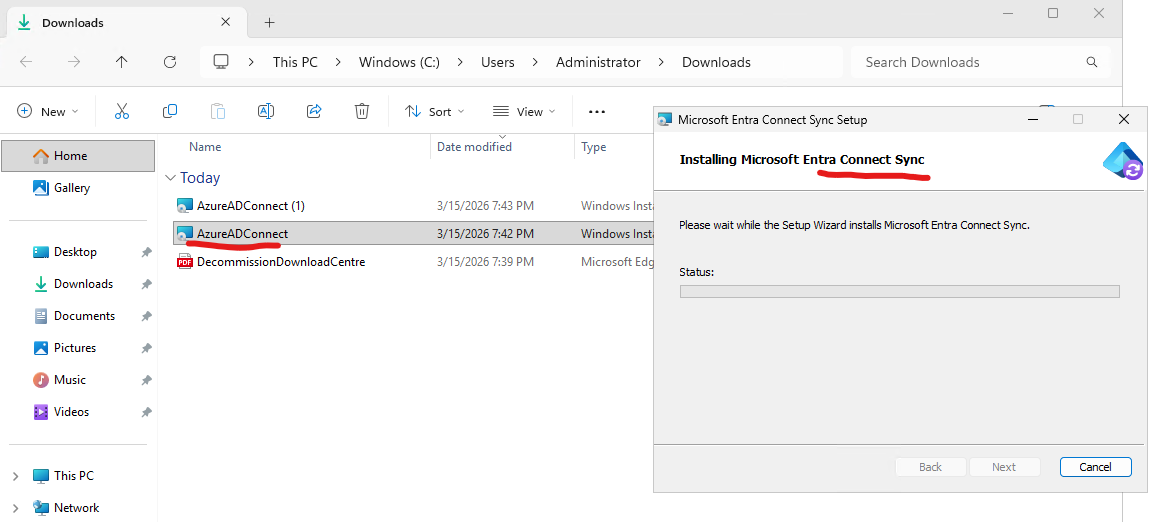
In order to make an “OnPrem” environment a true hybrid environment, it needs to connect to the M365 Cloud platform. Microsoft has released a specific tool called Entra Connect that accomplishes this. Older guides will call this Azure Connect as Microsoft tends to like to change their terminology every 6 months or so.
You can find this tool [here] (https://learn.microsoft.com/en-us/entra/identity/hybrid/connect/how-to-connect-install-roadmap#install-azure-ad-connect)
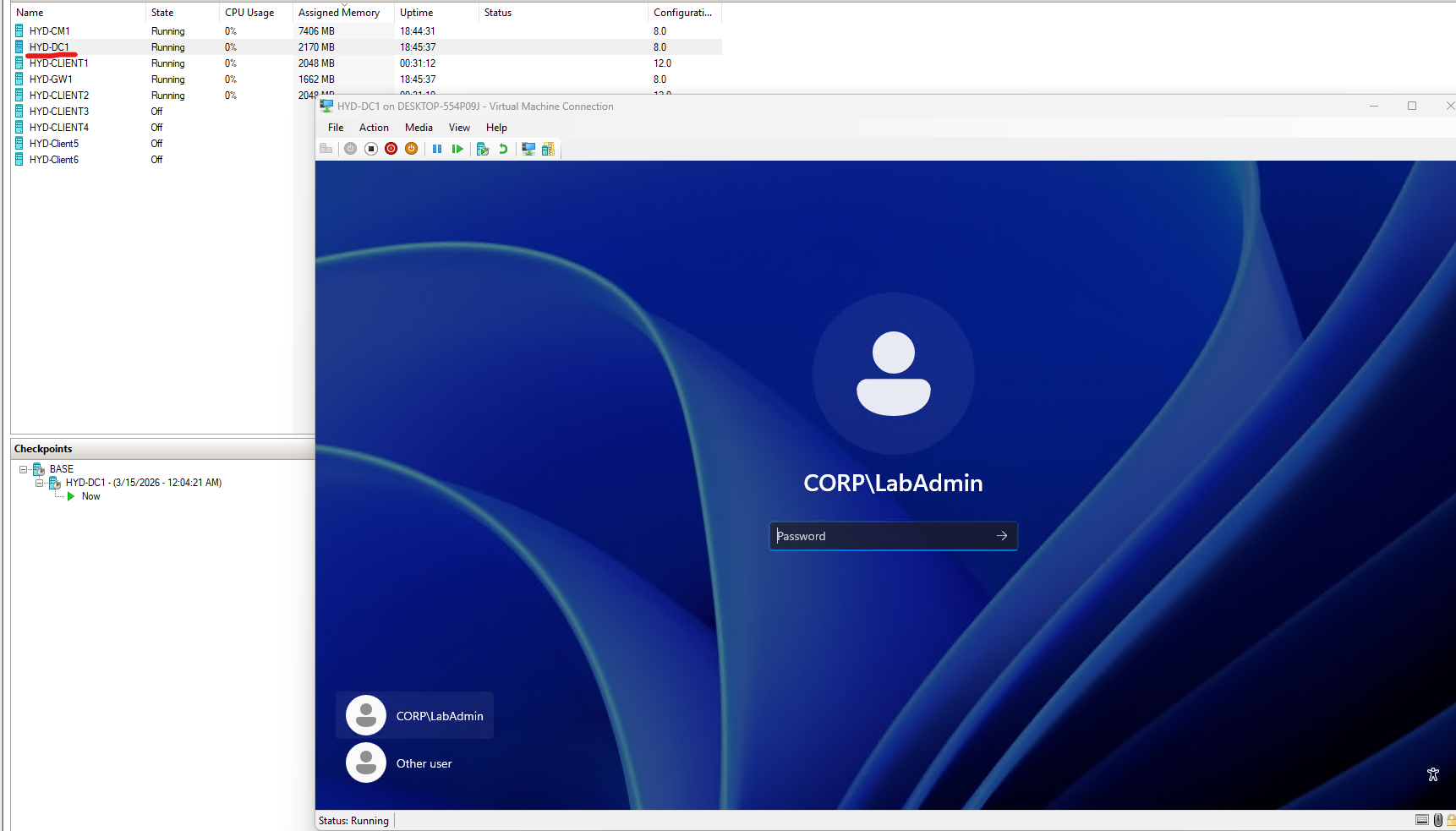
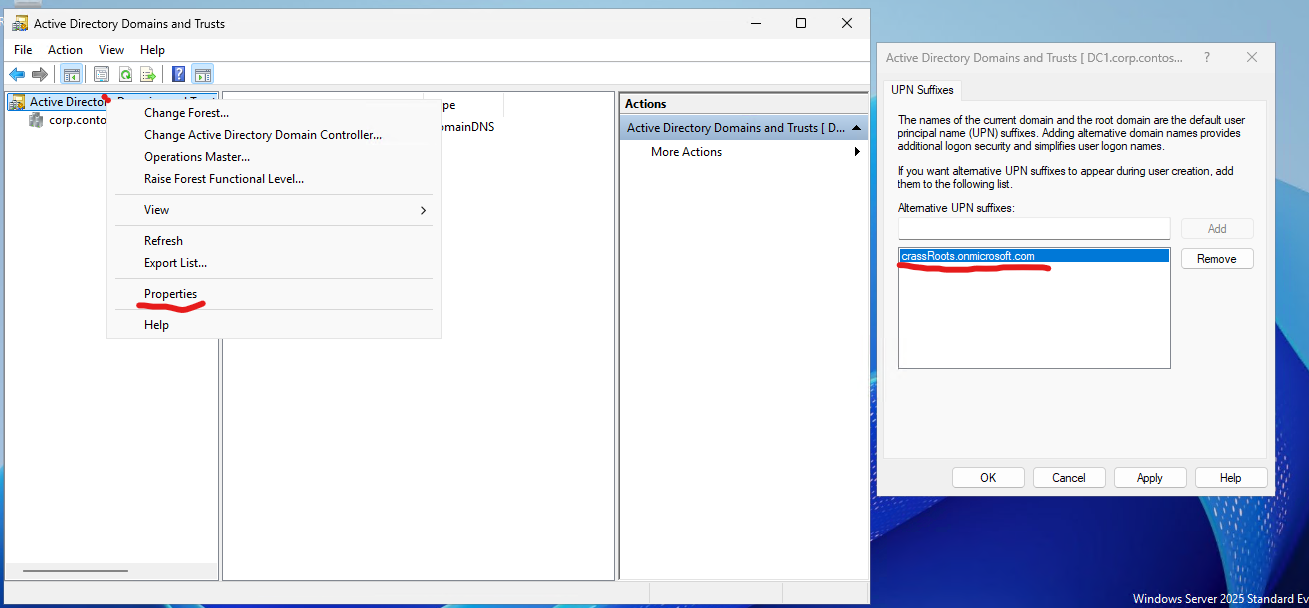
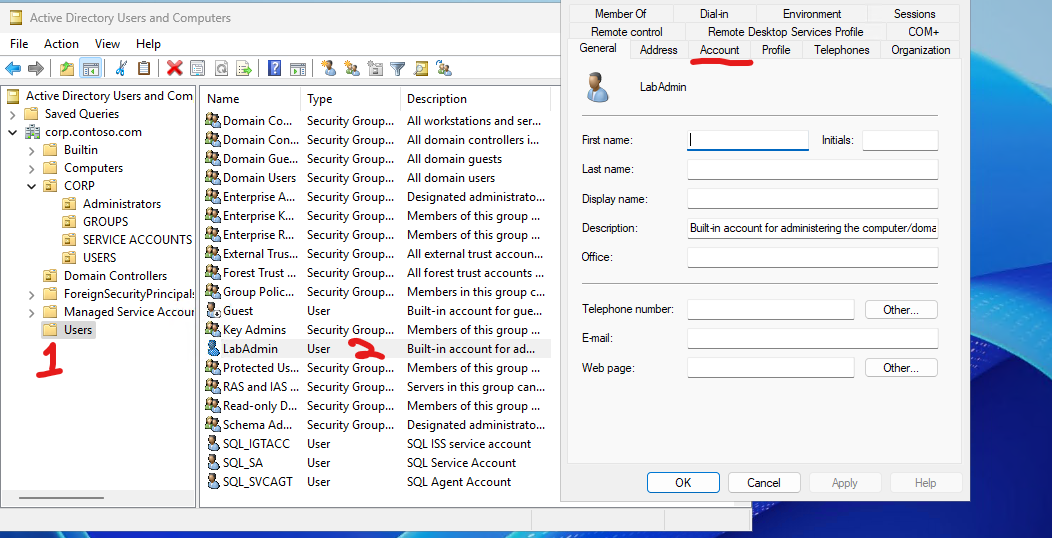
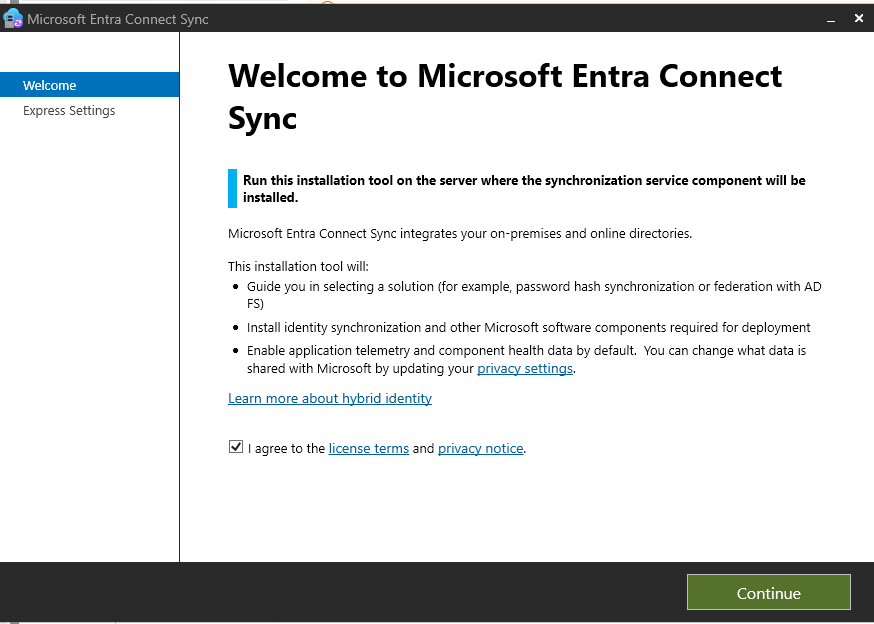
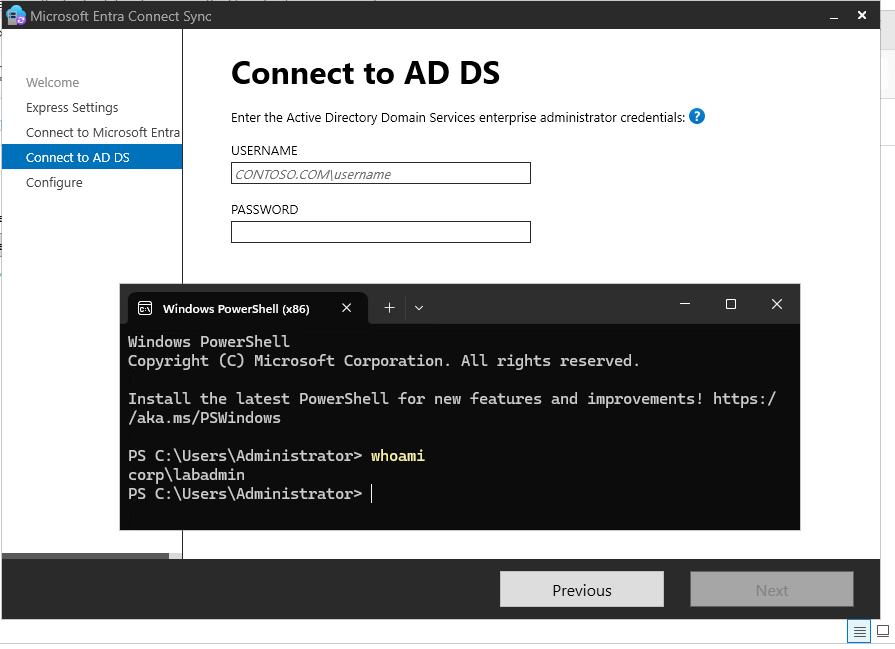
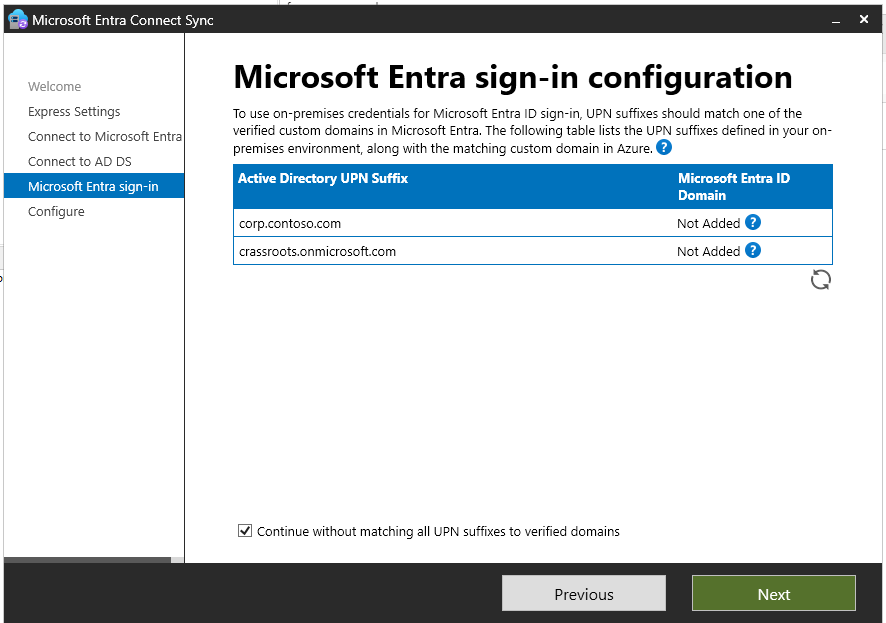
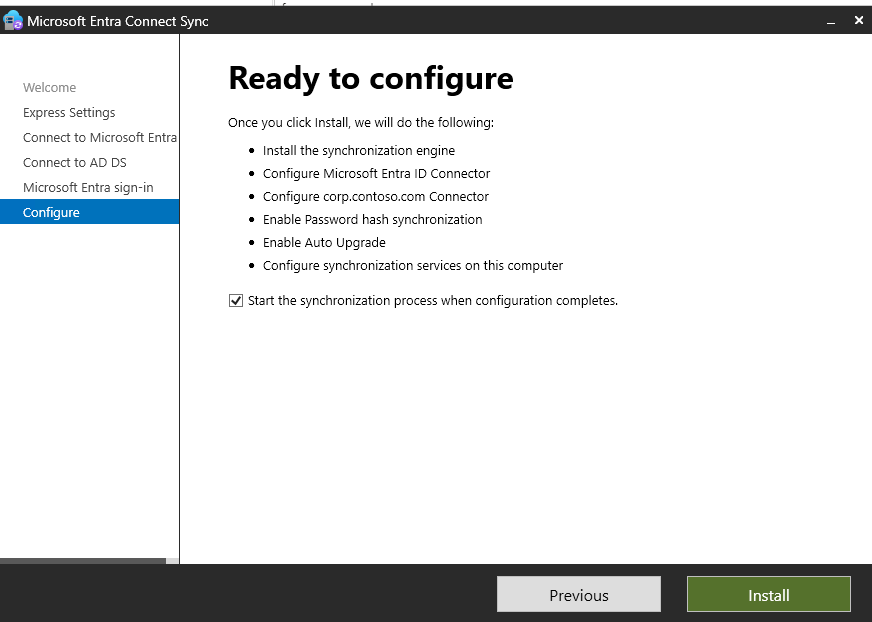
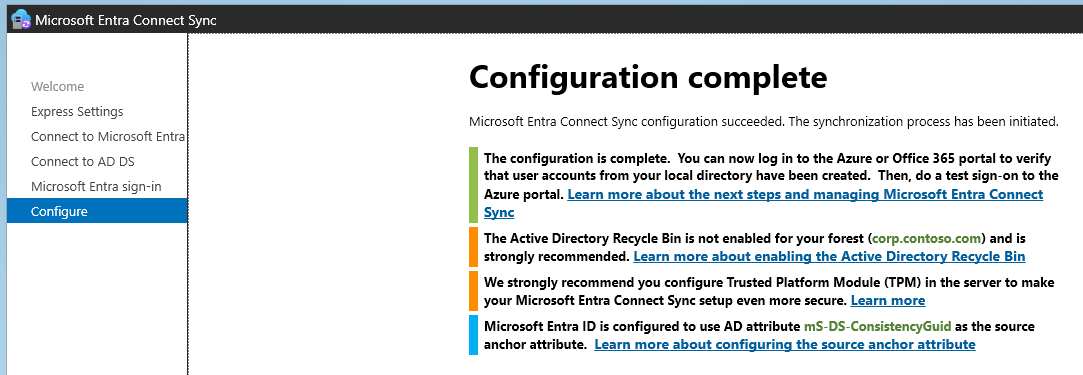
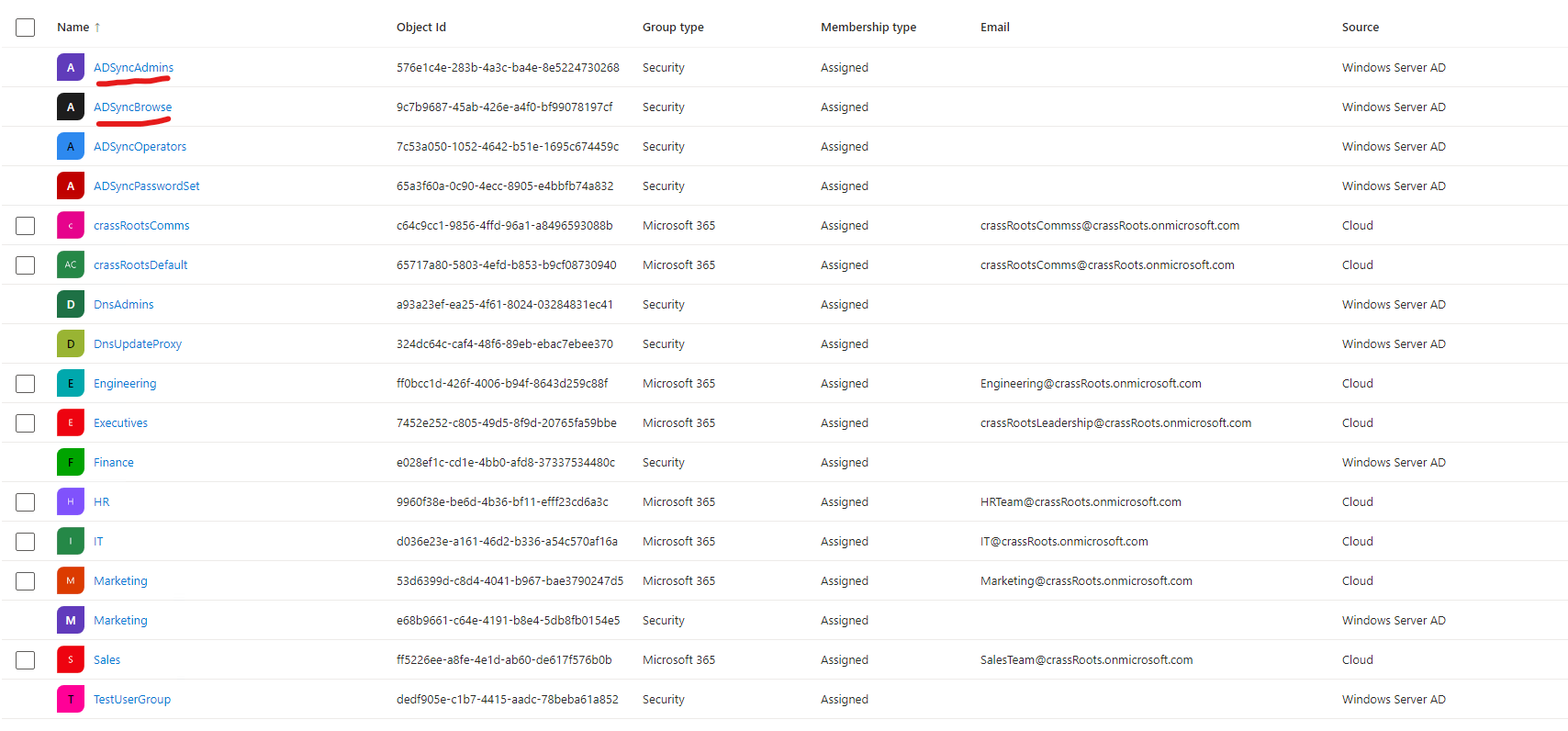
While I am not going to go into specifics, as that will be reserved for a dedicated M365 setup project post in itself, I am going to share a couple of helpful screenshots of the installation process:
How to use this lab to study for the SC-401
As the immediate goal of creating this lab was to study for my SC-401, I thought I would go over one of many quick exercises you can do within a Home Lab like this. To start, I normally take a look at the Microsoft Learn article regarding the specific exam you are studying for. In this case, this article can be found at this link here: https://learn.microsoft.com/en-us/credentials/certifications/resources/study-guides/sc-401
In this example I am using the topic “Define and create sensitivity labels for items and containers”
Before configuring anything, I should read up a bit on what sensitivity labels are, why their configuration should be restricted to a few users, and how they are actively used within a hybrid environment. As Microsoft Learn will be the only resource you can actively use to help you during your exam, learning how to quickly read and sift through information in these articles is key to success. Here are three articles I found regarding these topics within the Microsoft Learn portal:
Learn about Sensitivity Labels
Get Started with Sensitivity Labels
Create and configure sensitivity labels and their policies
Permissions required to create and manage sensitivity labels
While reading through all of these thoroughly is helpful, a quick skim should get you what you want. The goal here is not to memorize the documentation, but rather understand how to get to and use the information you need through the Microsoft Learn portal.
Sensitivity Labels are explained to essentially be “stamps” that you put on documents. These stamps are stored as plaintext metadata within the document itself. As they control which document is considered “Confidential” or not, only a select group of users should have the ability to create/manage these labels.
In order to create/manage these labels, the user will need to be a part of at least one of these role groups:
Information Protection
Information Protection Admins
Information Protection Analysts
Information Protection Investigators
Information Protection Readers
Alternatively, for more granular control, a user can be added to a new role group that has the “Sensitivity Label Administrator” role assigned to it. You can take this further by providing read-only access by assigning the “Sensitivity Label Reader” role instead.
Now that I have a solid understanding of what permissions I need to grant in order for a user to create/view Sensitivity Labels, I can replicate this within the lab itself. While this is a hybrid environment, all of this management is going to be done through the M365 Purview portal. I am going to choose TestUser13 from the list above as the user who will be added to the “Information Protection” role group!
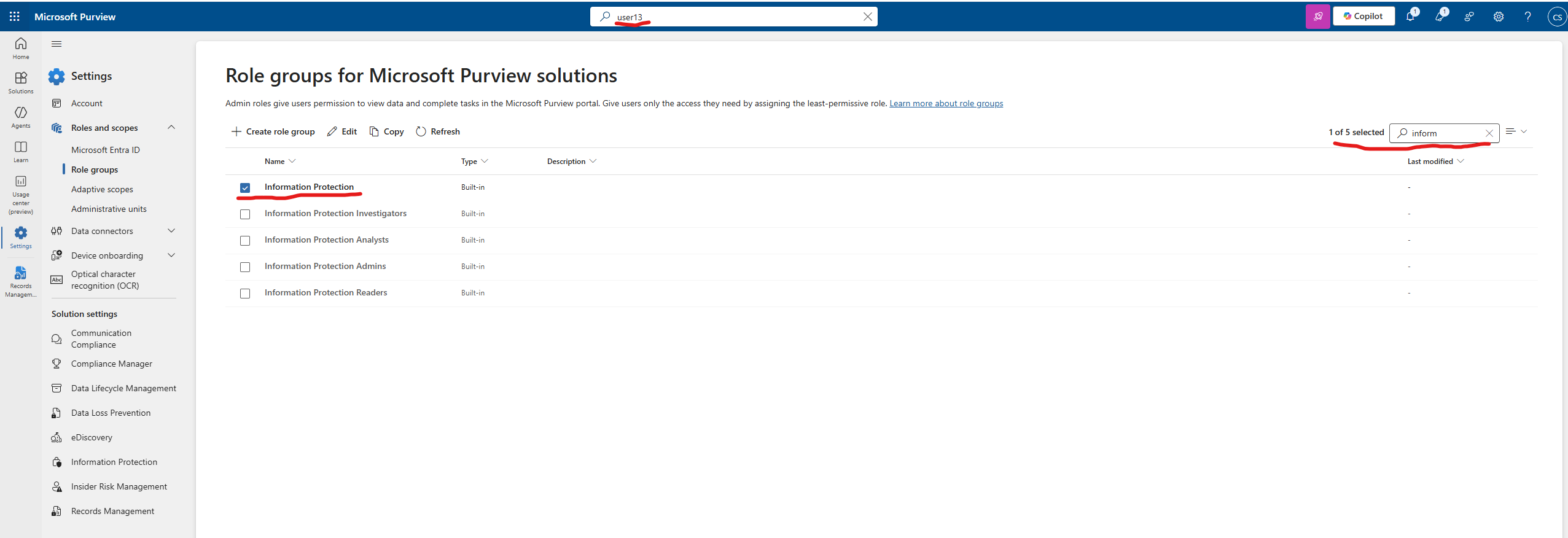
If this information sounds almost word for word when compared to the original Microsoft Learn documents I linked, that is because I am pulling all of my information from that source alone. Microsoft can be sticklers about how they word things, and while there is an argument that their documentation is not the best for LEARNING how to use their products, it is the best for prepping for their exams.
Anki Flashcard Set
This might be a little over kill but Anki is a flashcard tool that I have used for years. It calculates the last time you have ran through a set of terms, and sends notifications when you are statistically most likely to forget the material. Here is the wikipedia article on “Spaced Repetition” that goes over this concept
Here is a link to the Anki app itself: Anki
As I have taken the exam, I do not want to provide a direct link to my deck, as I am a bit unsure as to what Microsoft considers “Leaking test info”.
Instead, I will say that as you take the practice exam, and set up the home lab, you should write down any/all terms that you might not know. Then, make an Anki deck and study those terms in the two weeks leading up to your actual SC-401 exam!
Taking the Practice Exam using Microsoft Learn
To preface, I think it is important to setup the Home Lab and study as much as you can prior to taking the practice exam. The reason being that the questions on the practice exam do not change. That means, if you use the practice exam as your sole form of studying, you run the risk of memorizing the answers to the exam and not actually end up working through the question itself.
Though linked above, as I am trying to make this something that someone can work through at the same time they are reading this, I am posting another link here
When answering these questions, only use Microsoft Learn with up to 5 maximum tabs open. They do not allow you to use any “traditional” search engines or AI resources while within the exam, but you are allowed to use the Microsoft Learn “Search” bar. The results of these searches can be a bit wonky, so understanding how to get the information you need is a good exam specific tool to practice.
Additional Topics to Study [Do not skip this]
How to use Regular Expressions link
- Regular expressions are awesome. They are able to be used in quite a few different Windows tools, and allow for incredibly powerful search queries. While the topic “How to use Regular Expressions” is listed as an exam topic, I think they understate how important it is to learn the base concepts of how to craft a query using them.
Permission Scopes Flowchart Link The principles of retention, or what takes precedence?
- This flowchart/article combo might seem a little convoluted…and that’s because it is! I am including this however, as it is a great example of something that is easier to ingrain through messing around with them in a Home Lab than pure memorization. These are like little logic puzzles that, in my opinion, are easier to solve by visualizing the actions you take within the portal itself than memorizing a flowchart.
What I learned and what is next
I learned quite a lot regarding hybrid environments, Microsoft Purview, Microsoft Intune, and user account management while preparing for this exam. I plan on making a post once I pass my MS-102 exam which I have scheduled in two months!
If you have any questions, comments, or issues with the things I have posted above, please feel free to shoot me an email at chasesharp96@gmail.com
Thank you!